Laptops
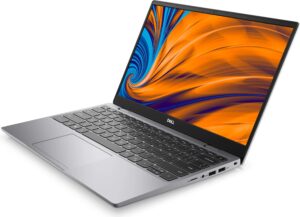
Mann Library has a limited number of Dell Windows laptops and Apple MacBooks available for 4 hour loan with a valid Cornell ID from the Mann Library Circulation Desk (map it). The MacBooks are now "dual-boot" meaning they can run Windows XP or MacOS.
If laptops are not available, check our Classrooms and Labs page for other computer options, or our software page for a list of other Mann Library computers with specific software.
| Item | Available/Due | Loan Period |
|---|---|---|
| Laptops - Dell Latitude | Available | 4 Days |
| Laptops - Apple Macbook | Available | 4 Days |
Patron Responsibilities:
- DO NOT LEAVE LAPTOPS UNATTENDED.
- Laptops are not to leave the library and can not be used in the lobby or cafe, or any area beyond the front gates.
- Patrons are responsible for any equipment lost, stolen, or damaged. Upon return, laptops are checked to ensure all equipment is returned and intact.
- Replacement costs may range beyond $2500.
- Late fee of $0.04 per minute per item late.
General Info
- A list of software on the laptops is available here.
- There are some differences running Windows on a Macbook, primarily with the keyboard. A table listing keys to use on a Mac to access Windows functions is available here.
- Wireless access is available throughout most of the building, on all 4 floors. However, at the ends of the building, you may become too far away from the antenna for that floor to get a good connection. Several high speed "N" wireless routers (map it) are located in the library for those with greater speed/bandwidth requirements.
- Questions? Please ask for assistance at the Circulation Desk.
Using Your Personal Laptop at Mann
Set Up
- Wireless set up instructions are available from CIT here: http://www.cit.cornell.edu/redrover/setup.html
- Wireless PC cards can be charged out from the Circulation Desk
- If you would like to plug your laptop into our in-desk Ethernet network, please follow these instructions:
- Plug in the Ethernet cable from the desk, and turn on your laptop. On some laptops this may be all you need to do. Check for an internet connection.
- If you do not yet have an internet connection, Locate Network Neighborhood/My Network Places. (If you can't find it using Windows XP, go to My Computer. It will be there.)
- Right click on Network Neighborhood/My Network Places and select "Properties".
- You should see "Local Area Connection" as "enabled".
- Ensure that "Obtain an IP address automatically" and" Obtain DNS server automatically" are both selected.
- Right click on the "Local Area Connection" icon and select "Properties".
- Click on the "General" tab and then go to the properties for TCP/IP.
- Select "obtain IP address automatically" and "Obtain DNS server address automatically".
- Click on "OK" several times until you are back to the desktop.
- Restart your computer, and check for an internet connection. If you are still not connected, ask for assistance at the Stone Computing Center Desk (map it) at Mann, or CIT's HelpDesk.
- If you are a visitor to Cornell (that is, if you currently are not affiliated with Cornell as a student, staff or faculty) you will be required to register online as a visitor if you wish to connect your laptop to our network. Details are at http://www.cit.cornell.edu/computer/connect/visitor.html. Registration is fast, easy and automatic.
Printing
Printing from personal laptops at Mann can be done easily via Net-Print. Other printers at Mann (plotters, color printer, etc.) are not accessible directly from laptops. For this kind of printing, you'll need to transfer your work to one of our public workstations in order to be on the same network as the printers. If you need assistance, please ask for help at the Stone Computing Center Desk (map it).